SEÇKİNER TEKNOLOJİ VE KİMYA SANAYİ VE TİCARET A.Ş KİŞİSEL VERİLERİN İŞLENMESİ HAKKINDA AYDINLATMA METNİ
SEÇKİNER TEKNOLOJİ VE KİMYA SANAYİ VE TİCARET A.Ş (“
Seçkiner ” veya “
Şirket”) olarak kişisel verilerinizin işlenmesinde ve muhafaza edilmesinde 6698 sayılı “Kişisel Verilerin Korunması Kanunu”na uygun davranılmasına azami hassasiyet göstermekteyiz. Bu nedenle ilgili Kanunun 10. maddesinin gereği olmak üzere kişisel verilerinizi aşağıda açıklandığı şekilde ve mevzuatın çizdiği sınırlar çerçevesinde işlemekteyiz.
Bu metinle 6698 sayılı “Kişisel Verilerin Korunması Kanunu” m.10’dan doğan sizleri kişisel verilerinizin işlenme amaçları, hukuki dayanakları, nasıl korunduğu ve haklarınız konusunda aydınlatma yükümlülüğümüzü yerine getirmeyi amaçlamaktayız.
1. Veri Sorumlusu ve Temsilcisi
6698 sayılı Kişisel Verilerin Korunması Kanunu (“6698 sayılı KVK K.”) uyarınca, kişisel verileriniz; veri sorumlusu olarak
ADALET MAH. ANADOLU CAD. NO:41/081 BAYRAKLI/İZMİR adresinde mukim
SEÇKİNER TEKNOLOJİ VE KİMYA SANAYİ VE TİCARET A.Ş (“Şirket”) tarafından aşağıda açıklanan kapsamda işlenebilecektir.
2. Kişisel Verilerin Hangi Amaçla İşleneceği
Şirketimiz tarafından açık rızanız ile işlenen kişisel verileriniz, tarafımızca sunulan ürün ve hizmetlerin sağlanması, satışı, pazarlanması, tanıtımı ve satış sonrası destek hizmetleri süreçlerinin planlanması, takibi ve geliştirilmesi, iletişim faaliyetlerimizin yürütülmesi, müşteri ilişkileri yönetimi süreçlerinin, şirketimiz ve şirketimiz ile iş ilişkisi içerisinde olan kişilerin hukuki ve ticari güvenliğinin temini, yetkili kurum ve kuruluşlara bilgi vermek, reklam/kampanya/promosyon süreçlerinin yürütülmesi, performans değerlendirilmesine ilişkin süreçler,şirket içi operasyon güvenliğinin temini, finans ve muhasebe işlemlerinin yürütülmesi, iş başvurusu ve idari işler uygulamaları için, ve bu kapsamdaki hizmetlerin sağlanması amacıyla hukuka ve dürüstlük kurallarına uygun, doğru ve gerektiğinde güncel, belirli, açık ve meşru amaçlar için, işlendikleri amaçla bağlantılı, sınırlı ve ölçülü ve İlgili mevzuatta öngörülen veya işlendikleri amaç için gerekli olan süre kadar muhafaza edilmek koşuluyla işlenmektedir.
Ayrıca şirketimizin internet sitesini kullanmaktasınız. İnternet sitesinde yer alan ‘’ Kariyer’’ , ‘’Şube ve Franchise Başvuru ‘’, ‘’ Kurumsal , Bireysel, Dezenfeksiyon Fiyat Al’’ , ‘’ Sizi Arayalım’’ ve ‘’ İletişim’’ formları yer almaktadır.
- Web Sitemiz üzerinden ‘’Kariyer’’ formunu kullanarak iş başvurusu yapabilirsiniz. İş başvurusu süresince işlenecek olan kişisel verileriniz bir faaliyet bütünü içerisinde değerlendirilmekte olup tarafınıza tek bir aydınlatma metni aracılığı ile aydınlatma yapılmaktadır. Kişisel verileriniz şirketimiz tarafından 6698 sayılı KVK Kanununun 5. ve 6. maddelerinde belirtilen kişisel veri işleme şartları dahilinde ve aşağıda sıralanan amaçlarla işlenebilecektir:
1-Kimlik Verisi (Ad- Soyad, Cinsiyet, Doğum Tarihi, Medeni Hal Bilgisi, Doğum Yeri Bilgisi(Çalışan Adaylarının ve Stj Başvuru Süreçlerinin Yürütülmesi Amacıyla)
2-İletişim Verileri (Adres, Telefon Numarası, E-Mail Adresi)(Çalışan Adaylarının ve Stj Başvuru Süreçlerinin Yürütülmesi Amacıyla)
3- Mesleki Deneyim (Eğitim Durumu, Bölüm, Sertifikalar vb)(Çalışan Adaylarının ve Stj Başvuru ve Yerleştirme Süreçlerinin Yürütülmesi Amacıyla)
4-Özlük Verisi (Askerlik Durum Belgesi, En Son Çalışılan İşyeri Özgeçmişi vb)(Çalışan Adaylarının ve Stj Başvuru ve Yerleştirme Süreçlerinin Yürütülmesi Amacıyla, )
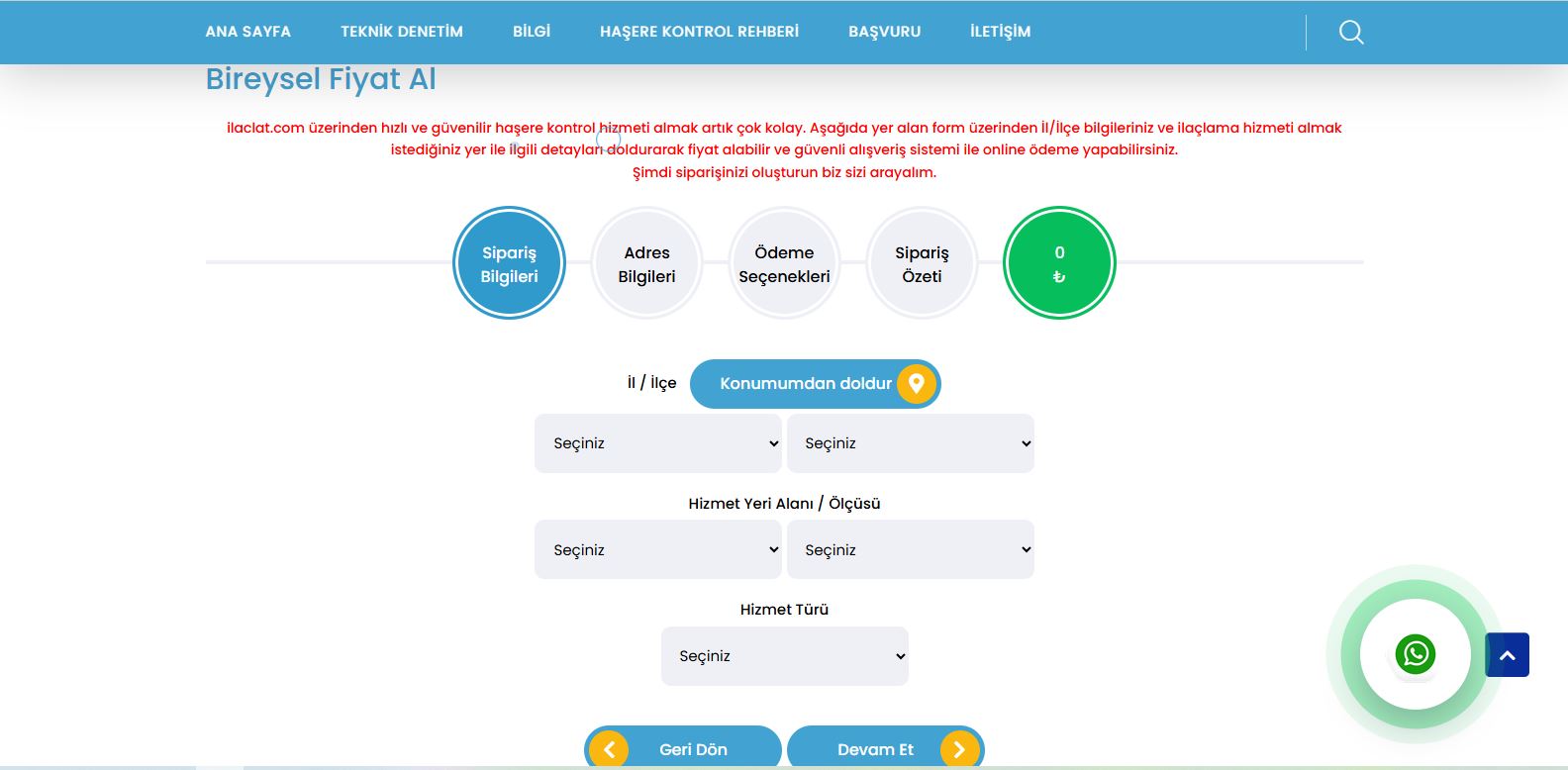
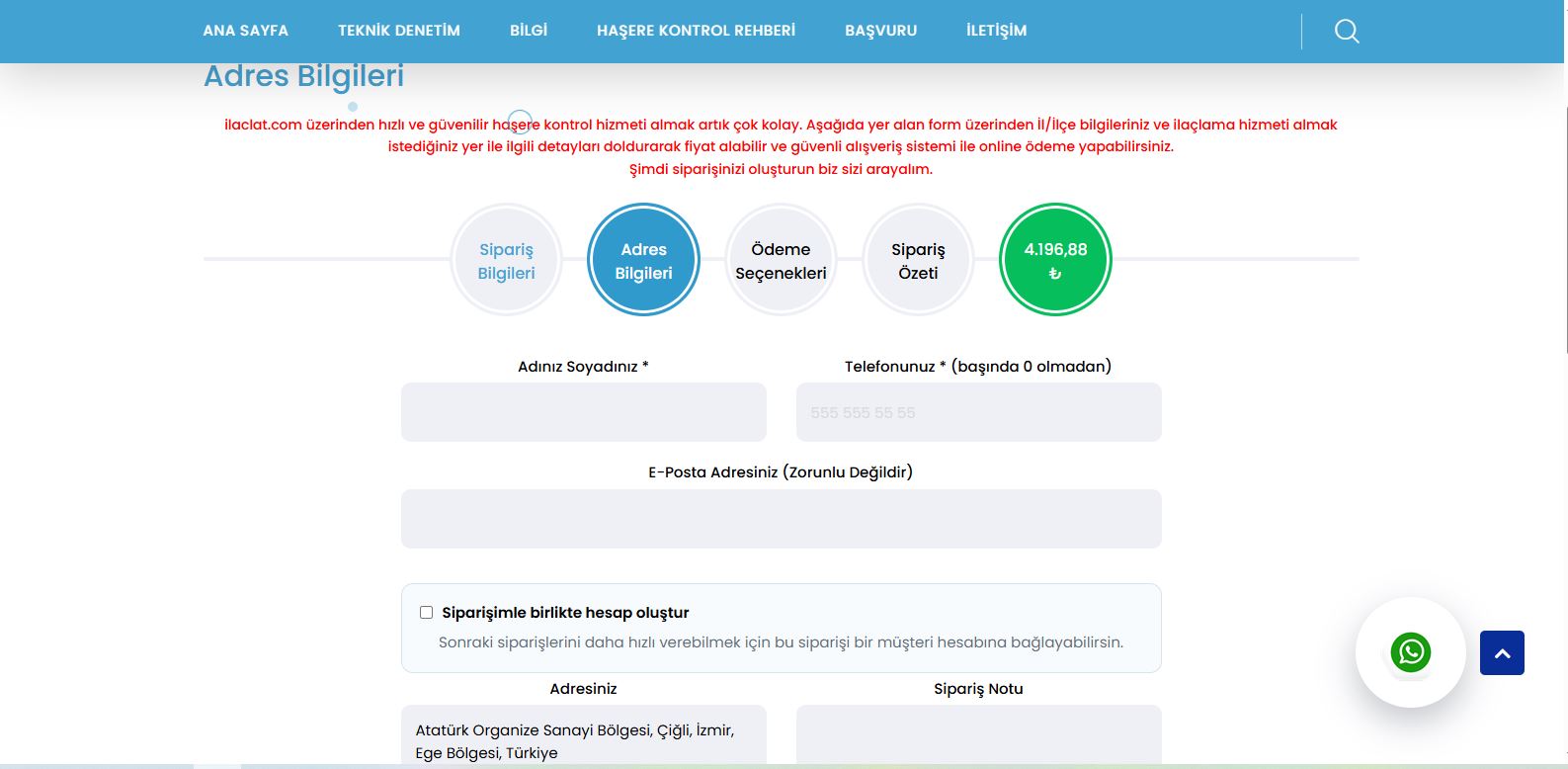
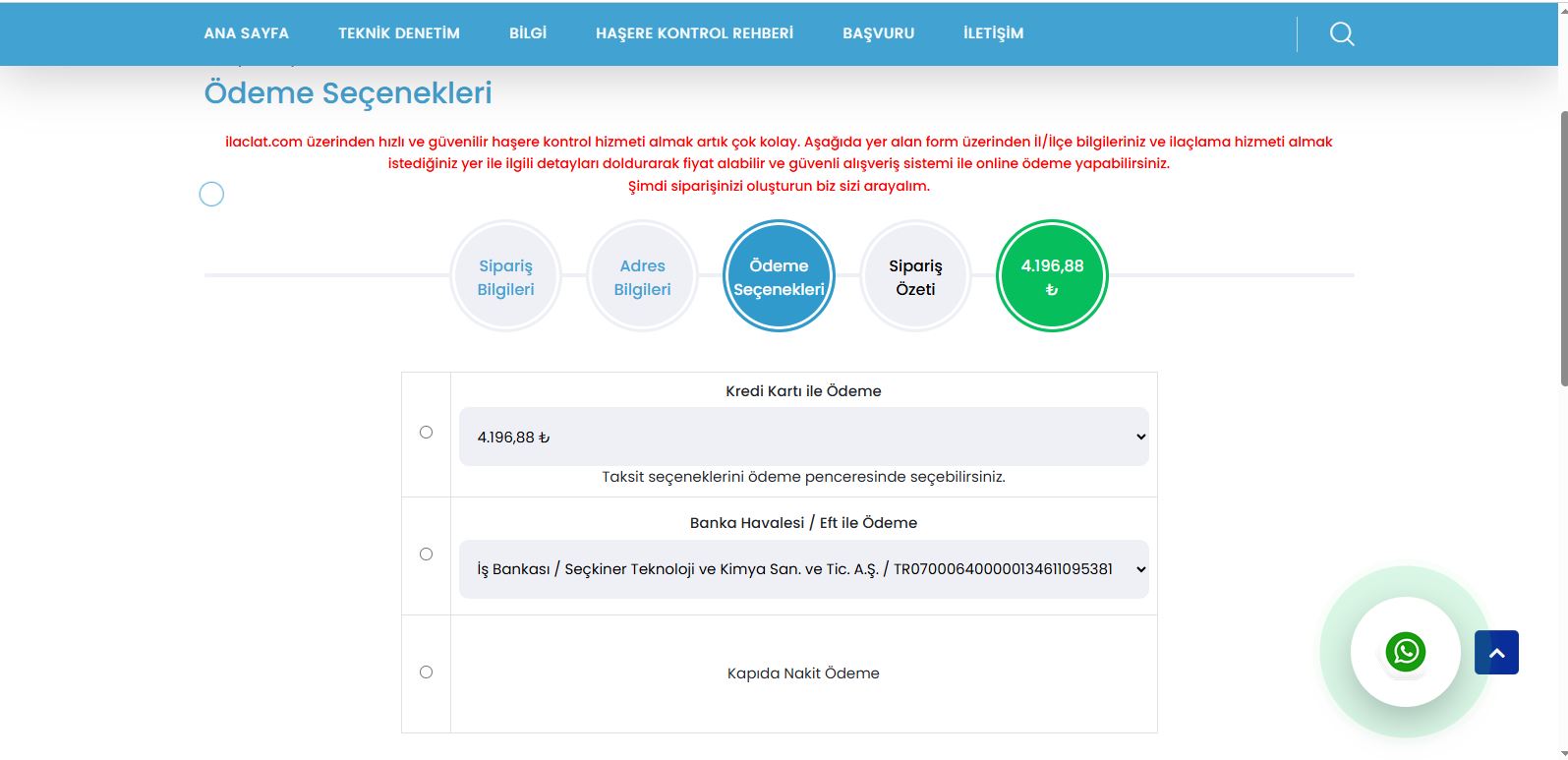
- Web Sitemiz üzerinden ‘’ Kurumsal , Bireysel, Dezenfeksiyon Fiyat Al’’ formunu kullanarak hizmet almak istediğiniz yerle ilgili fiyat alabilir ve güvenli alışveriş sistemi ile online ödeme yapabilirsiniz. Hizmet almak istediğiniz yerle ilgili İl/İlçe; Hizmet Yeri Alanı; Hizmet Türünü seçerek sistem otomatik olarak bir fiyat çıkarmaktadır. Dolayısıyla bu işlem sırasında herhangi bir kişisel veriniz işlenmemektedir. İşleme devam etmek istemeniz halinde size geri dönüş yapabilmek ve istediğiniz hizmeti sunabilmek amacıyla 6698 sayılı KVK Kanununun 5. ve 6. maddelerinde belirtilen kişisel veri işleme şartları dahilinde kullanılmakta ve bu kullanımın ardından derhal imha edilmektedir.
- Web Sitemiz üzerinden‘’ Şube ve Franchise Başvuru ‘’ formunu kullanarak şirkete gelecek ilaçlama işleri ile yüklenici firma tarafından üstlenerek işi ifa etmeye yönelik olan komisyon sözleşmesi yapılabilmektedir. Şirket, yapılan başvuruları değerlendirip onayladığı taktirde size geri dönüş yapabilmek ve birlikte çalışabilmek amacıyla 6698 sayılı KVK Kanununun 5. ve 6. maddelerinde belirtilen kişisel veri işleme şartları dahilinde kullanılmakta ve bu kullanımın ardından derhal imha edilmektedir.
1.İş Faaliyetlerinin Yürütülmesi ve Denetimi/ İletişim Formu Vasıtası İle Gönderilen İletilere Cevap Verilebilmesi Amaçlarıyla kimlik bilgisi, iletişim bilgileri
2.Finans ve Muhasebe İşlemlerin yürütülmesi adına banka bilgilerinin alınması
3.Web Sitesi İletişim Formu Verisi
4. Tedarikçileri ile pazarlamaya yönelik iş birliği çalışmalarının yürütülmesi,
5. Faaliyetlerin Mevzuata Uygun Yürütülmesi
6. Tedarik Zinciri Yönetimi Süreçlerinin Yürütülmesi
- Web Sitemiz üzerinden ‘’Sizi Arayalım’’ ve ‘’İletişim ‘’ formunu kullanarak müşterilerin geri arama taleplerine ilişkin olarak başvuru ve koşullar hakkında bilgi alma sürecini daha hızlı yürütülmektedir. Müşterilerimize dönüş yapacağımız bu süre içerisinde işlenecek olan kişisel verileriniz bir faaliyet bütünü içerisinde değerlendirilmekte olup tarafınıza tek bir aydınlatma metni aracılığı ile aydınlatma yapılmaktadır. Kişisel verileriniz şirketimiz tarafından 6698 sayılı KVK Kanununun 5. ve 6. maddelerinde belirtilen kişisel veri işleme şartları dahilinde ve aşağıda sıralanan amaçlarla işlenebilecektir:
1-Kimlik Verisi (Ad- Soyad ) (Ürün/Hizmetlerin Pazarlama Süreçlerinin Yürütülmesi) (Müşteri İlişkileri Yönetimi Süreçlerinin Yürütülmesi,Müşteri Adaylarının Talebine Yönelik Geri Dönüşler Amacıyla)
2-İletişim Verileri (Telefon Numarası, E-mail Adresi) (İletişim Faaliyetlerinin Yürütülmesi, ,Ürün/Hizmetlerin Pazarlama Süreçlerinin Yürütülmesi, Müşteri İlişkileri Yönetimi Süreçlerinin Yürütülmesi, Müşteri Adaylarının Talebine Yönelik Geri Dönüşler Amacıyla)
Kişisel verileriniz, web sitemizin daha iyi faaliyet gösterebilmesi ve web sitemizi ziyaretiniz sırasında yahut tedarikçilerimize daha iyi hizmet sunulabilmesi amacıyla detayları Çerez ve Gizlilik Politikasında açıklanan Çerez Bilgileri temin edilmektedir. Bu kapsamda IP adresi bilgileriniz de tarafımızca işlenmektedir.
3. İşlenen Kişisel Verilerin Kimlere ve Hangi Amaçla Aktarılabileceği
Toplanan kişisel verileriniz; yukarıda belirtilen amaçların gerçekleştirilmesi ile sınırlı olmak üzere kanunen yetkili kamu kurumları ve özel hukuk kişilerine, 6698 sayılı Kanun’un 8. ve 9. maddelerinde belirtilen kişisel veri işleme şartları ve amaçları çerçevesinde kanuna uygun şekilde aktarılmaktadır.
4. Kişisel Verileri İşlemenin ve Aktarmanın Yöntemi ve Hukuki Sebebi
Kişisel verileriniz işbu aydınlatma metninin 2. ve 3. maddesinde belirtilen amaçlarla ve sebeplerle şirketin faaliyetlerini sürdürebilmesi için işlenmek üzere ilgili birimimizce tarafınızdan fiziki ve elektronik ortamda toplanmaktadır.
Bu aydınlatma metninin 2. maddesinde belirtilen kişisel verilerinizin tamamı KVKK madde 5. ve 6. maddeleri kişisel veri işleme şartları ve amaçları kapsamında işlenebilmekte ve aktarılabilmektedir.
5. Kişisel Veri Sahibinin 6698 Sayılı Kanun’un 11. Maddesinde Sayılan Hakları
Kişisel veri sahibi olarak, haklarınıza ilişkin taleplerinizi aşağıda düzenlenen yöntemlerle tarafımıza iletmeniz durumunda talebinizin niteliğine göre talebi 6698 sayılı KVK K.nun 13. maddesinin 2. fıkrası uyarınca en kısa sürede ve en geç otuz gün içinde ücretsiz olarak sonuçlandıracaktır. Ancak, işlemin ayrıca bir maliyeti gerektirmesi halinde, tarafımızca Kişisel Verileri Koruma Kurulunca belirlenen tarifedeki ücret alınabilecektir.
Bu kapsamda kişisel veri sahipleri;
· Kişisel veri işlenip işlenmediğini öğrenme,
· Kişisel verileri işlenmişse buna ilişkin bilgi talep etme,
· Kişisel verilerin işlenme amacını ve bunların amacına uygun kullanılıp kullanılmadığını öğrenme,
· Yurt içinde veya yurt dışında kişisel verilerin aktarıldığı üçüncü kişileri bilme,
· Kişisel verilerin eksik veya yanlış işlenmiş olması hâlinde bunların düzeltilmesini isteme ve bu kapsamda yapılan işlemin kişisel verilerin aktarıldığı üçüncü kişilere bildirilmesini isteme,
· 6698 sayılı KVK K.nun ve ilgili diğer kanun hükümlerine uygun olarak işlenmiş olmasına rağmen, işlenmesini gerektiren sebeplerin ortadan kalkması halinde kişisel verilerin silinmesini veya yok edilmesini isteme ve bu kapsamda yapılan işlemin kişisel verilerin aktarıldığı üçüncü kişilere bildirilmesini isteme,
· İşlenen verilerin münhasıran otomatik sistemler vasıtasıyla analiz edilmesi suretiyle kişinin kendisi aleyhine bir sonucun ortaya çıkmasına itiraz etme,
·Kişisel verilerin kanuna aykırı olarak işlenmesi sebebiyle zarara uğraması halinde zararın giderilmesini talep etme haklarına sahiptir.
6698 sayılı KVK K.nun 13. maddesinin 1. fıkrası gereğince, yukarıda belirtilen haklarınızı kullanmak ile ilgili talebinizi, yazılı olarak tarafımıza iletebilirsiniz. Kişisel Verileri Koruma Kurulu’nun belirleyeceği diğer yöntemler duyurulduktan sonra bu yöntemler üzerinden de başvuruların ne şekilde alınacağı tarafımızca duyurulacaktır. Bu çerçevede tarafımıza 6698 sayılı KVK K.nun 11. maddesi kapsamında yapacağınız başvurularda yazılı olarak başvurunuzu ileteceğiniz kanallar ve usuller aşağıda açıklanmaktadır:
Yukarıda belirtilen haklarınızı kullanmak için kimliğinizi tespit edici gerekli bilgiler ile 6698 sayılı KVK K.nun 11. maddesinde belirtilen haklardan kullanmayı talep ettiğiniz hakkınıza yönelik açıklamalarınızı içeren talebinizi
ADALET MAH. ANADOLU CAD. NO:41/081 BAYRAKLI/İZMİR adresine kimliğinizi tespit edici belgeler ile bizzat elden iletebilir, noter kanalıyla veya 6698 sayılı Kanun’da belirtilen diğer yöntemler ile gönderebilirsiniz.
Ayrıca Haklarınızı kullanabileceğiniz başlıca yöntemler aşağıdaki şekildedir:
- Başvuru Formu’nu doldurabilirsiniz,
- Taleplerinizi Veri Sorumlusuna Başvuru Usul ve Esasları Hakkında Tebliğ’de belirtilen diğer yöntemleri de kullanarak bize iletebilirsiniz.
- Kişisel verilerinizin Şirketimiz tarafından işlenmesi konusunda detaylı bilgilere, www.ilaclat.com internet sitesinde yer alan Seçkiner Teknoloji ve Kimya Sanayi ve Ticaret A.Ş Kişisel Verilerin Korunması ve Gizlilik Politikası’ndan ulaşabilirsiniz.
ilaclat.com ve ilaclat Saha Mobil Uygulaması Hesap ve Veri Silme Talebi
ilaclat Saha mobil uygulamasını kullanan kullanıcılar, hesaplarının ve ilişkili kişisel verilerinin silinmesini talep edebilir.
Hesap silme talebi nasıl yapılır?
Hesabınızın silinmesini talep etmek için aşağıdaki yöntemlerden birini kullanabilirsiniz:
-
E-posta: info@ilaclat.com
-
İletişim formu: https://www.ilaclat.com/iletisim
-
Başvurunuzda aşağıdaki bilgileri belirtmeniz gerekmektedir:
-
Ad Soyad
-
Kayıtlı e-posta adresi
-
Firma adı
-
Hesap silme talebi
-
Silinecek veriler
Hesap silme talebinin onaylanmasının ardından aşağıdaki veriler silinir veya anonim hale getirilir:
-
Kullanıcı hesabı
-
Profil bilgileri
-
İletişim bilgileri
-
Mobil uygulama erişim kayıtları
-
Uygulama oturum bilgileri
-
Saklanabilecek veriler
Vergi mevzuatı, ticari kayıt yükümlülükleri, KVKK ve diğer yasal düzenlemeler kapsamında saklanması zorunlu olan kayıtlar, ilgili mevzuatta belirtilen süre boyunca muhafaza edilmeye devam edebilir.
İşlem süresi
Hesap silme talepleri en geç 30 gün içerisinde değerlendirilerek sonuçlandırılır.
Kısmi veri silme talebi
Kullanıcılar hesaplarını tamamen silmeden belirli kişisel verilerinin düzeltilmesini, güncellenmesini veya silinmesini de talep edebilir.
İletişim
SEÇKİNER TEKNOLOJİ VE KİMYA SANAYİ VE TİCARET A.Ş.
E-posta: info@ilaclat.com
Web: https://www.ilaclat.com